 TweakSync
If it says applied, it's applied.
TweakSync turns macOS's hidden settings into switches and carries them across your Macs. Every one of its 204 editable settings has its effect verified in a live virtual machine — there is no "maybe it works" category.
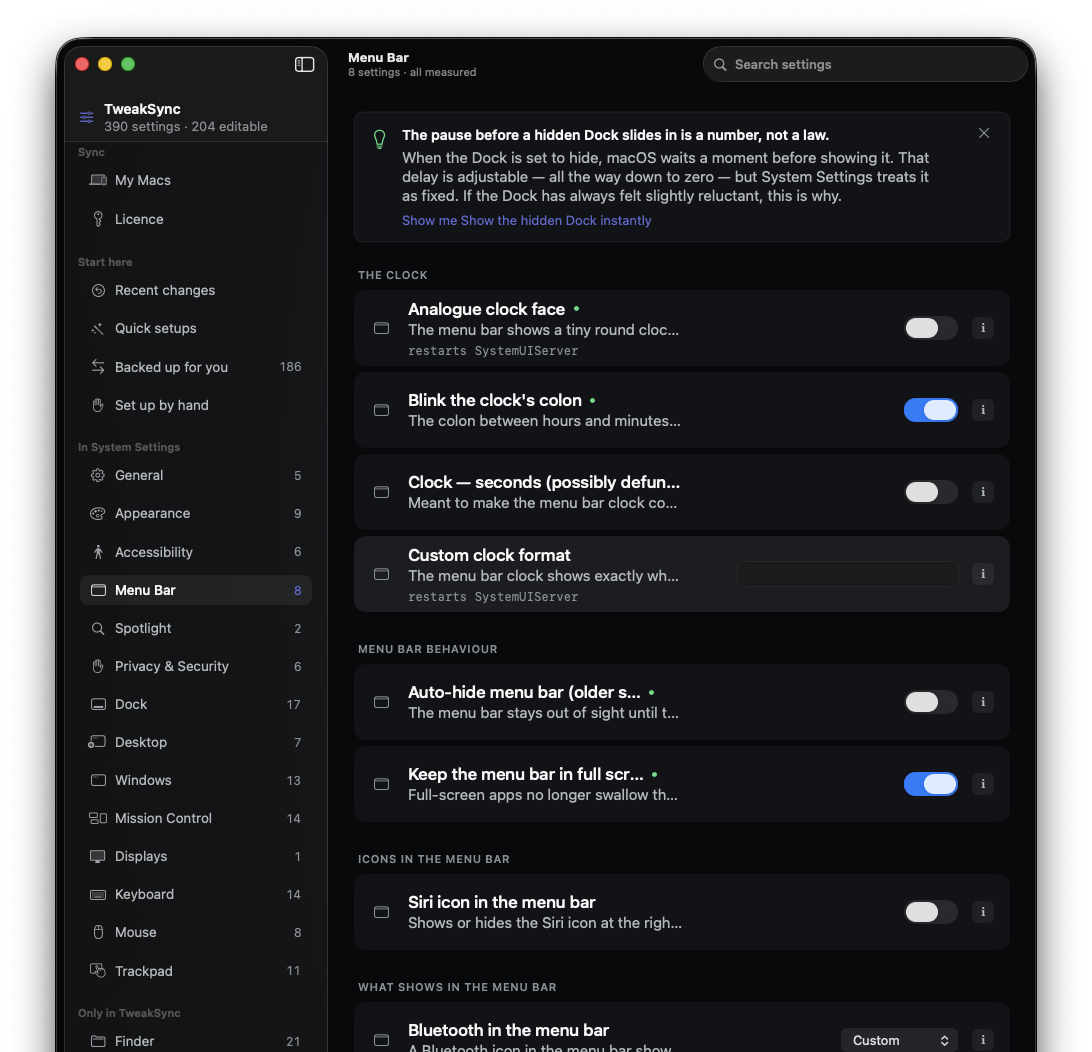
Settings Apple chose not to show you
macOS stores hundreds of preferences that never appear in System Settings. TweakSync lists them, explains what each one does in plain language, and lets you change it with a switch.
Read back, then reported
Every change is written, read back, and confirmed before TweakSync tells you it worked. If macOS refuses a setting, you are told — not left guessing.
Carried between Macs
Share this Mac's settings, then sign in on another Mac with the same address. A new machine can be made to feel like the old one — no folders to pick, nothing to sync by hand.
One button puts it all back
Every change is recorded. Undo a single setting, a whole recipe, or everything TweakSync ever touched — back to Apple's defaults.
What "applied" looks like
This is the same row you get in the app. Flip it.
Nothing on this page touches your Mac — the app does exactly this, for real, and refuses to say "applied" until the last line comes back.
How we know they work
Each editable setting was applied inside a clean macOS virtual machine and its effect observed three different ways — through the accessibility tree, by comparing regions of the screen before and after, and by asking the system API directly. Every check runs in both directions, with a control to catch false positives.
It does not replace System Settings
We measured the overlap: TweakSync covers about 36% of what System Settings offers. It is not a replacement — it reaches the parts Apple left out, and carries the rest between your Macs.
186 further settings are carried but not editable. They are backed up and written to your other Macs, but they get no switch here, because their effect could not be proven in the measurement VM. They are not dead — they are unproven, and we will not pretend otherwise. When one is proven, it gets a switch.
Some settings we deliberately refuse to touch: per-app notification permissions, mail accounts, other apps' preference files. The app tells you why, and shows you how to set each one up by hand.
And your settings do pass through our server. That is how they reach your other Macs. We keep your email address, your Macs' names, and the settings you have chosen — nothing else: no password (there isn't one), no payment details, no usage tracking. Delete your account and it is gone the same second, with no waiting period — your settings stay on your Macs either way. What we store, in full →